Getting Started with Google Ads
Fibbler's Google Ads integration identifies which companies are clicking your Google Ads and visiting your website. Connect your account, install a small tracking script, and start seeing which companies click your ads within 24 hours.
Prerequisites
- An active Fibbler subscription (Growth, Unlimited, or Agency plan)
- A CRM connected to Fibbler (HubSpot, Salesforce, or Attio)
- Admin access to your Google Ads account
- Ability to add a JavaScript snippet to your website
Step 1: Connect your Google Ads account
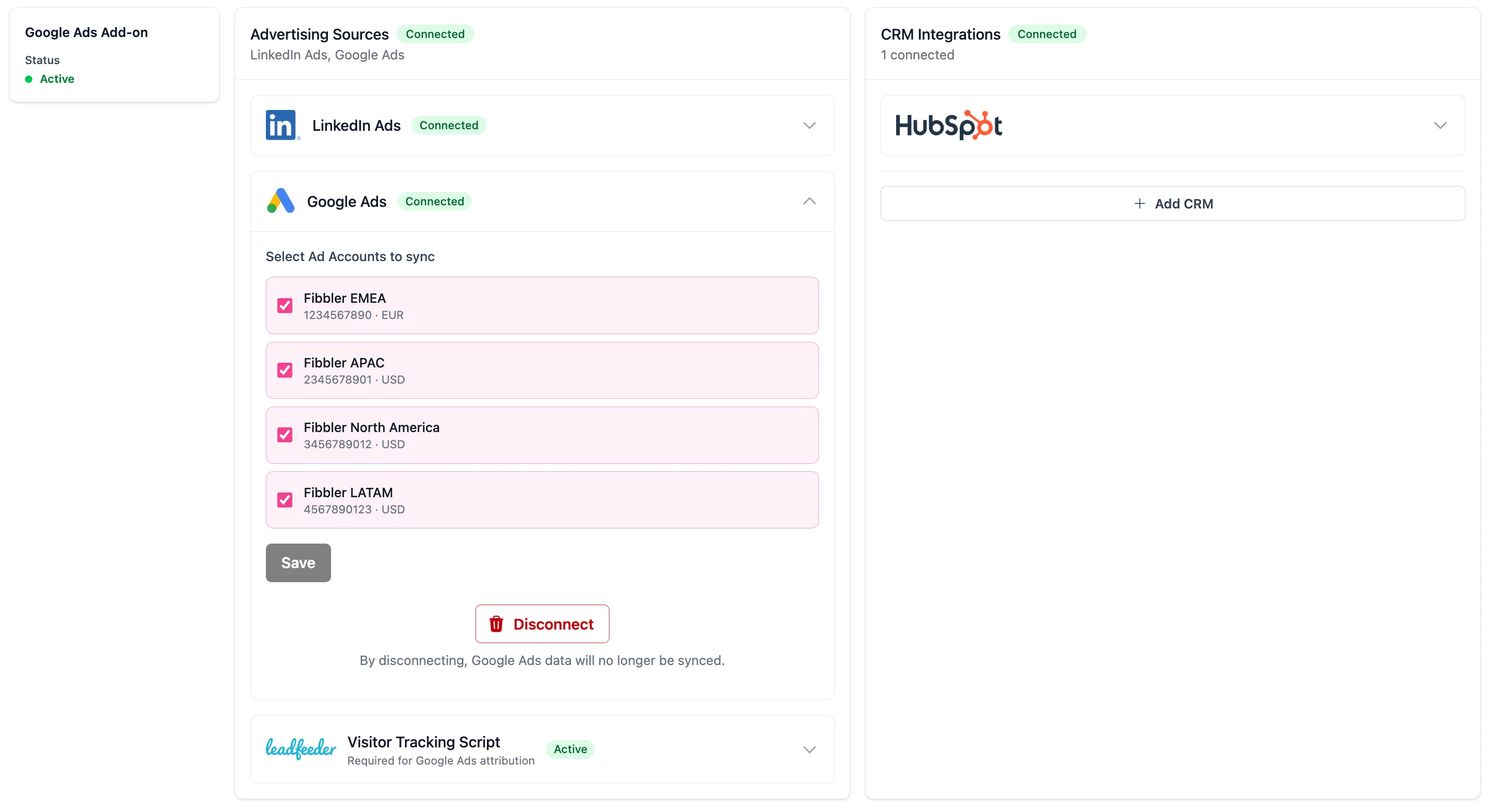
- Go to Settings → Sources in your Fibbler dashboard
- Click Connect Google Ads
- Sign in with the Google account that has access to your Google Ads
- Grant Fibbler the requested permissions
- If you have a Manager (MCC) account, select the sub-accounts you want to track
Step 2: Install the tracking script
After connecting your Google Ads account, Fibbler will provide a small JavaScript tracking script. This script needs to be installed on your website to identify which companies visit from your Google Ads campaigns.
- Copy the tracking script provided in the setup wizard
- Paste it into the
<head>section of your website - Deploy the change to your live website
Step 3: Verify the script is working
Once the script is installed, Fibbler will automatically verify it's working. You'll see a green checkmark on the Sources page when the script has been detected on your website.
Step 4: Wait for data
After the script is installed and verified, data will start appearing within 24 hours. The system needs time to collect website visits from your Google Ads campaigns and identify the companies behind them.
Once data starts flowing, you can explore it in:
- Company Insights: see which companies visit from your Google Ads
- Campaign Analytics: attribution by keyword and campaign
- Audience Insights: industry and company size breakdown
- Cross-Channel Insights: see how LinkedIn and Google Ads work together
Update your privacy policy
Because the tracking script collects IP addresses and places a first-party cookie on your website visitors' devices, you should update your website's privacy policy and cookie policy to inform visitors about this data collection. You should also ensure you have appropriate cookie consent mechanisms in place.
Here is sample wording you can adapt for your privacy policy:
Our website uses the technologies of Leadfeeder (Dealfront Finland Oy as part of Dealfront Group GmbH) to analyze visitor behavior. In this process, the IP address of a visitor is processed. This processing has the purpose of helping us understand which businesses (B2B) are visiting our site, by enriching IPs with associated information such as the company name or industry code.
To do this, at the beginning of the visitor's session, their IP address and corresponding session data is matched against a large database of known companies.
Whenever we process website traffic data, this processing is based on our legitimate interest (Art. 6(1)(f) GDPR) in optimizing our products, services, sales, and marketing. To prevent this processing activity, you may install and configure appropriate ad-blockers or use no-script plugins in your browser. The data will be deleted as soon as it is no longer required for its intended purposes.
Add to your cookie policy
You should also add the following to your website's cookie policy:
This website uses a tracking script from Leadfeeder (Dealfront) to identify which companies visit our site. A first-party cookie is placed on your device to recognize returning visitors across sessions. This cookie does not identify individual persons and is used solely for B2B company identification purposes.