Campaign Analytics
Campaign Analytics shows how your Google Ads keywords and campaigns connect to CRM deals. See which keywords drive the most pipeline and revenue, and drill down into individual attributed deals.
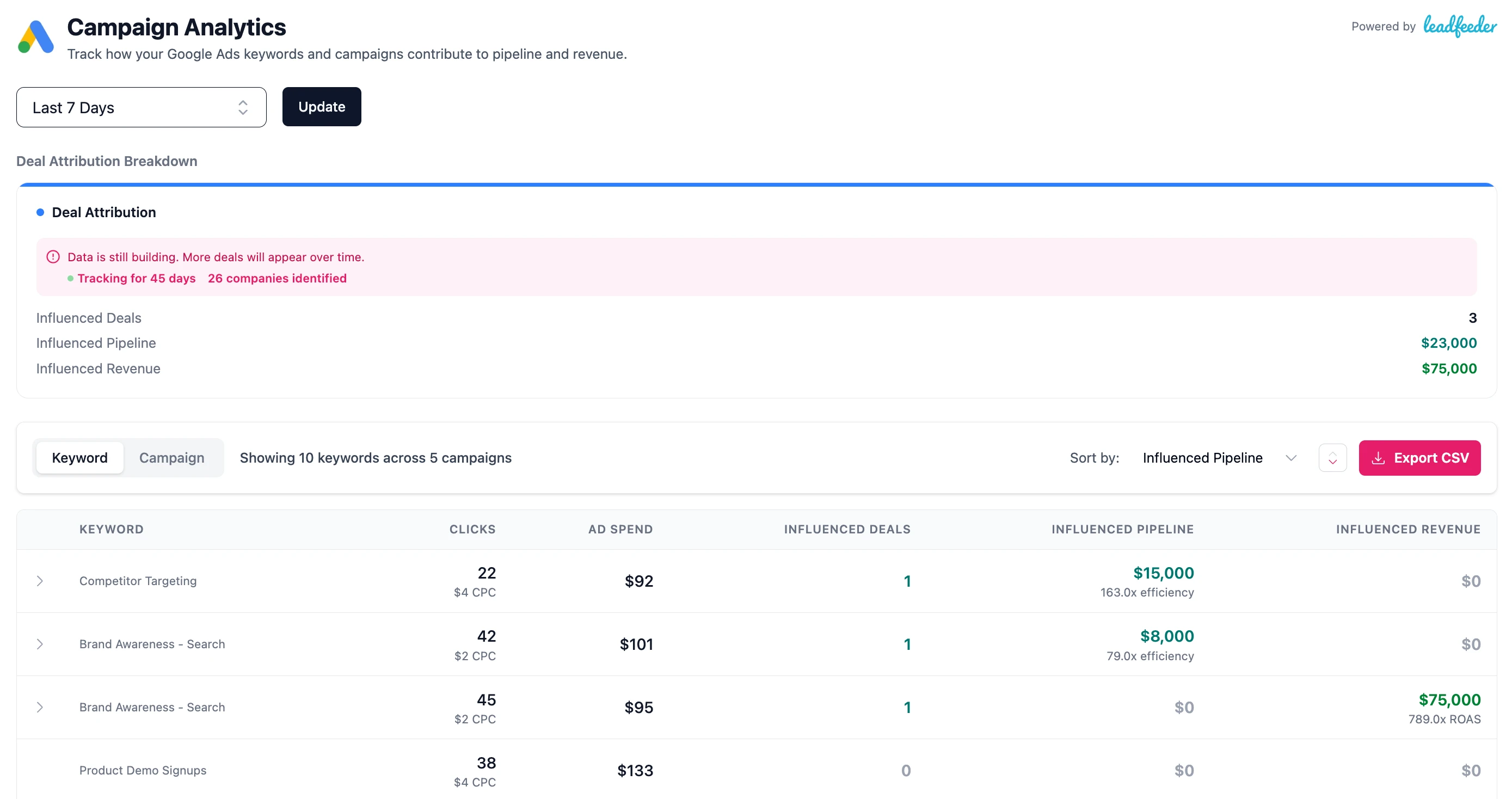
Keyword view
The default view shows performance at the keyword level. Each keyword row shows clicks, CPC, ad spend, attributed deals, pipeline, pipeline efficiency, revenue, and ROAS.
Campaign view
Toggle to campaign view to see aggregated metrics at the campaign level. Each campaign row shows the same metrics, plus a list of its keywords as a sub-label.
Deal drilldown
Click on any keyword or campaign row to expand it and see the individual CRM deals attributed to it. Each deal shows:
- Deal name
- Company name
- Deal amount
- Deal stage
- Created and close dates
Attribution summary
At the top of the page, summary cards show total influenced deals, pipeline, and revenue across all keywords or campaigns.
Progressive state
When you first start using Google Ads tracking, you'll see a banner indicating the current data state:
- Early: No deals attributed yet: tracking has just started
- Building: Fewer than 3 deals or less than 30 tracking days
- Steady: 30+ tracking days and 3+ attributed deals
CSV export
Export the keyword or campaign analytics as a CSV. The export includes keyword/campaign name, clicks, CPC, ad spend, deals, pipeline, pipeline efficiency, revenue, and ROAS.