Google Ads Company Insights
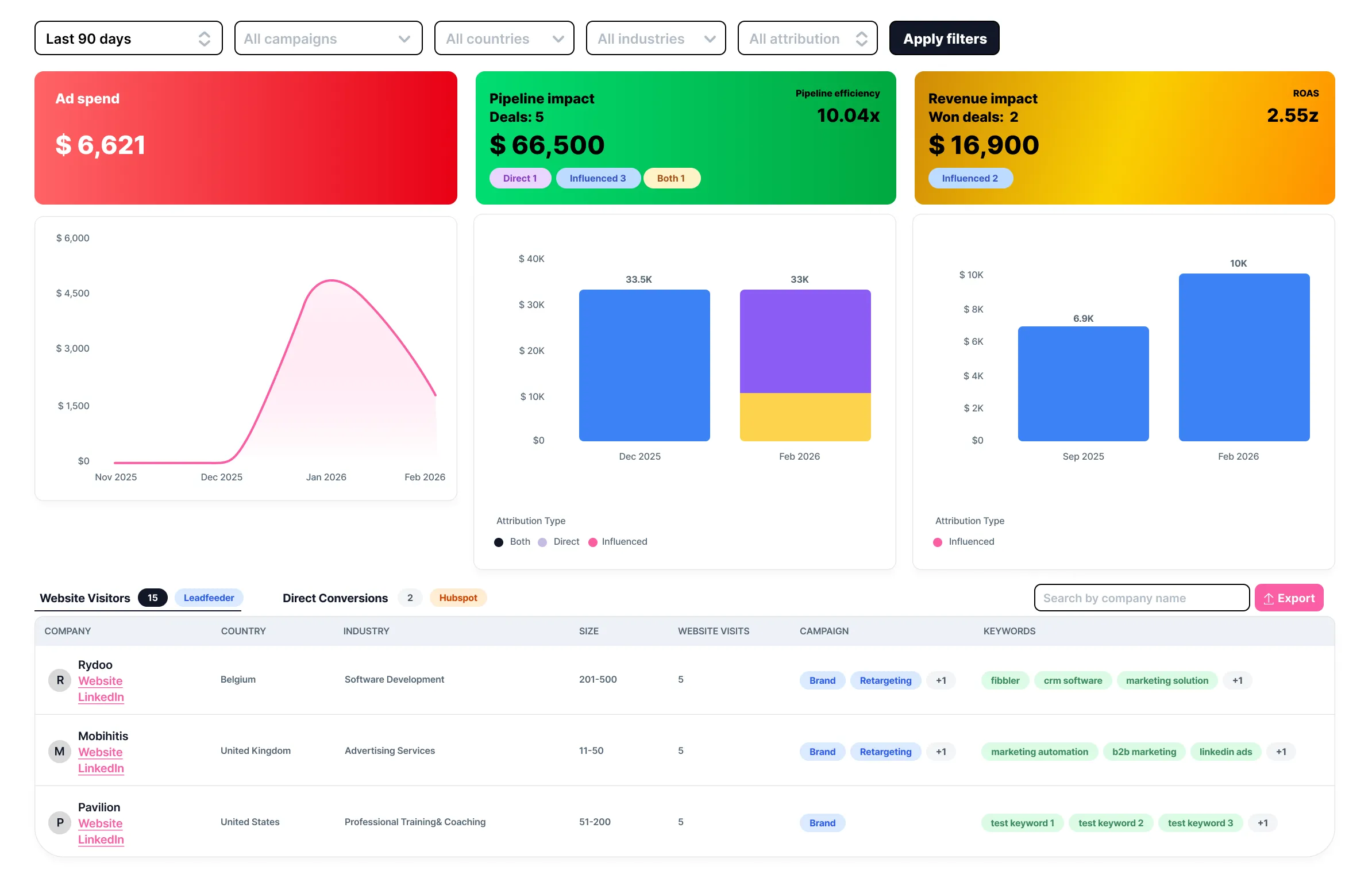
Company Insights is the main Google Ads dashboard in Fibbler. It shows which companies are clicking your Google Ads and visiting your website, and connects that activity to pipeline and revenue in your CRM.
How it works
- When someone clicks your Google Ad and visits your website, the Leadfeeder tracking script identifies the company behind the visit
- The company is enriched with firmographic data (industry, employee count, country, LinkedIn URL) via Leadfeeder
- Fibbler matches these companies to deals in your CRM by domain
- Deals where the company had Google Ads visits before the deal was created are marked as "influenced"
Key metrics
- Ad Spend: Total Google Ads spend in the selected period
- Influenced Pipeline: Total pipeline value of CRM deals where the company had Google Ads visits before the deal was created
- Influenced Revenue: Total closed-won revenue from deals where the company had Google Ads visits before the close date
- Pipeline Efficiency: Influenced pipeline divided by ad spend (e.g., 5x means $5 of pipeline for every $1 spent)
- ROAS: Return on Ad Spend: influenced revenue divided by ad spend
Lookback windows
You can view data across four lookback windows: 7 days, 30 days, 60 days, and 90 days. Custom date ranges are also available. Each window becomes available once enough tracking data has been collected.
Filters
Filter the company list by:
- Campaign: Show only companies from specific Google Ads campaigns
- Keyword: Filter by specific keywords that triggered your ads
- Country: Filter by the company's country
- Industry: Filter by the company's industry
- Company name search: Search for a specific company
Company detail
Click on any company in the table to see a detailed breakdown of their visits, including which campaigns and keywords drove the traffic, and the dates of each visit.
CSV export
Export the company list as a CSV file. The export includes company name, domain, country, industry, employee range, visit count, campaigns, keywords, website URL, and LinkedIn URL.
How attribution works
Fibbler uses a domain-matching influence model for Google Ads attribution. A CRM deal is considered "influenced" by Google Ads if:
- The company's domain in your CRM matches a domain that visited your website from a Google Ad
- The visit occurred before the deal was created